Programs & Milestones
In this section, you will learn how to manage programs and milestones for initiatives.
A program is a group of initiatives. It allows users to manage their projects. You can access the Program section using the menu on the left side of the page.
A milestone is a step that has been created in a project. Users can create as many milestone as necessary for a project.
The sections below will show you how to manage programs and milestones.
- Creating a program
- Updating a program
- Creating and deleting a milestone
- Linking a milestone to an initiative
- Linking a milestone to another milestone
Creating a program
To create a program :
- Click on Create → New Program. A new window will open.
Program creation window
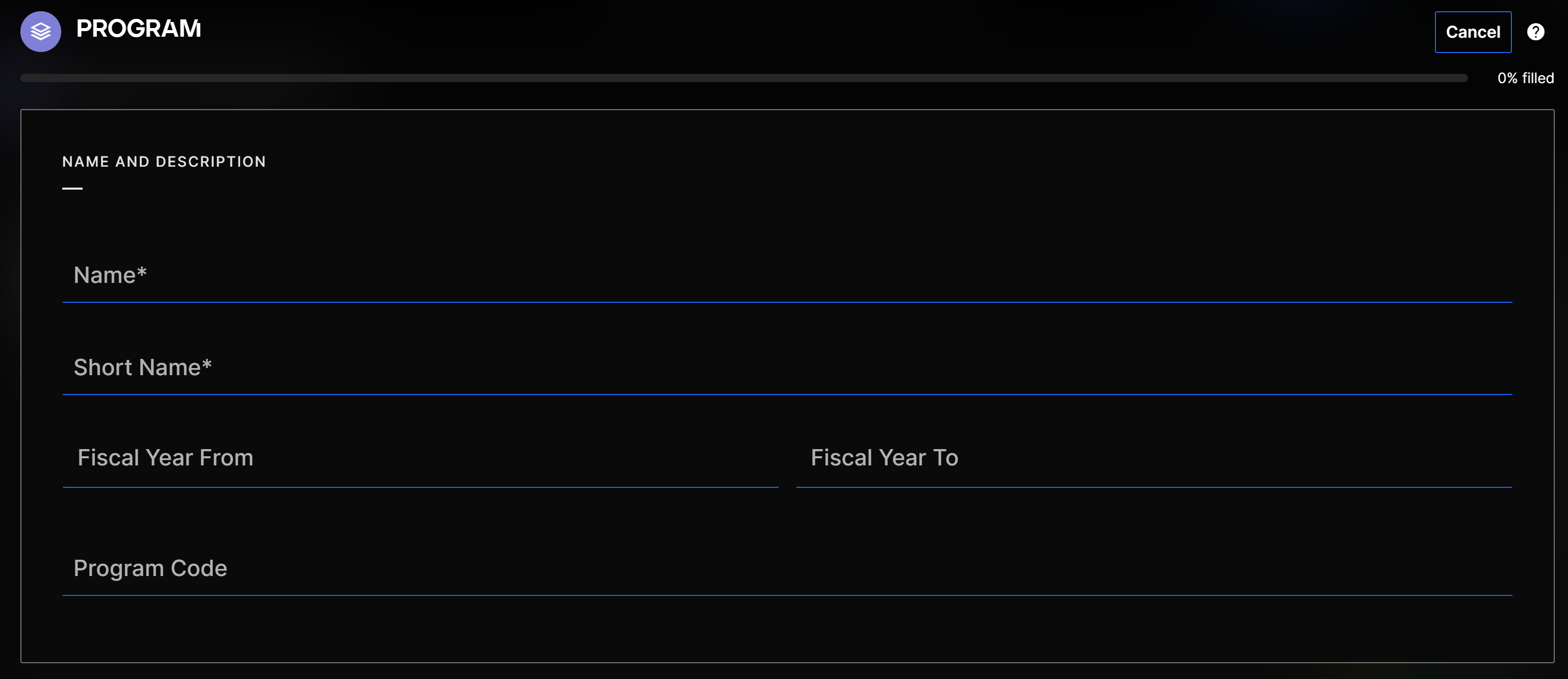
- Fill in the mandatory fields.
Updating a program
To add/remove initiatives or to update the info of a program :
-
Go to Programs
-
Click on Edit (pencil icon)
Edit button
 3. Update the info and click on Save
Creating and deleting a milestone
To create a milestone from the initiative :
-
Go to
 → Open business case → 5. Milestones → + New Milestone
 -
Fill in the mandatory fields
-
Save the milestone. A new milestone appears in the list
-
If you want to delete a milestone, click on the delete button (Trash).
Once an assessment is approved, it is not possible to update the start and end dates of the milestone. You will be able to adjust the dates when doing an assessment of the initiative.
To create a milestone from the initiative's assessment :
-
Go to Perform review → Effort planning, and click on + Add milestone
-
Fill in the mandatory fields
-
Click on Save, the milestone will be added to the assessment
Linking a milestone to an initiative
-
Go to the initiative page
-
Click on
→ Open business case → 5. Milestones → Link Milestone
Link milestone button
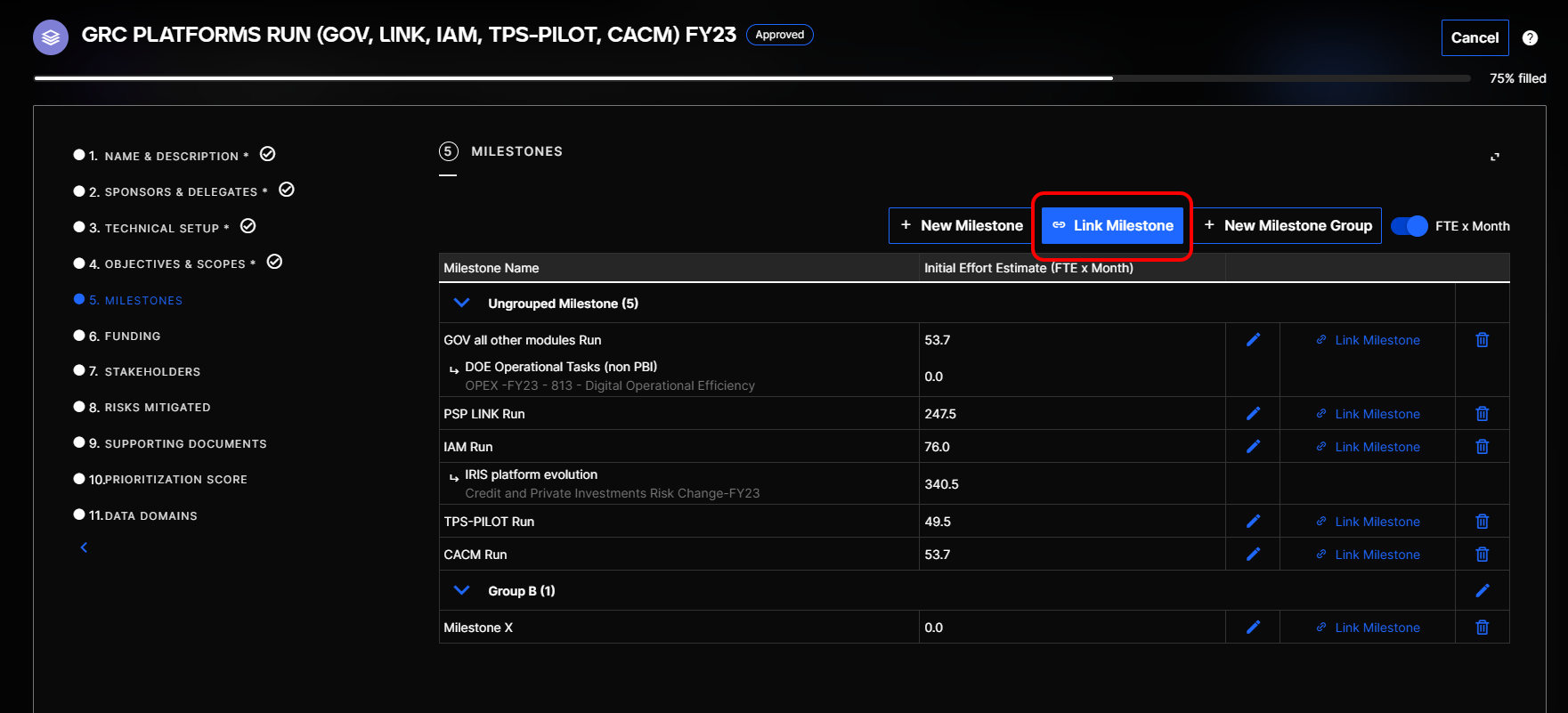
-
In this new window, choose the initiative in which there is a milestone you want to link
-
Enter a Date
-
Click on Link. The milestone is now linked to the initiative
Linking a milestone to another milestone
-
Go to the initiative page
-
Click on
→ Open business case → 5. Milestones
Button to link a milestone
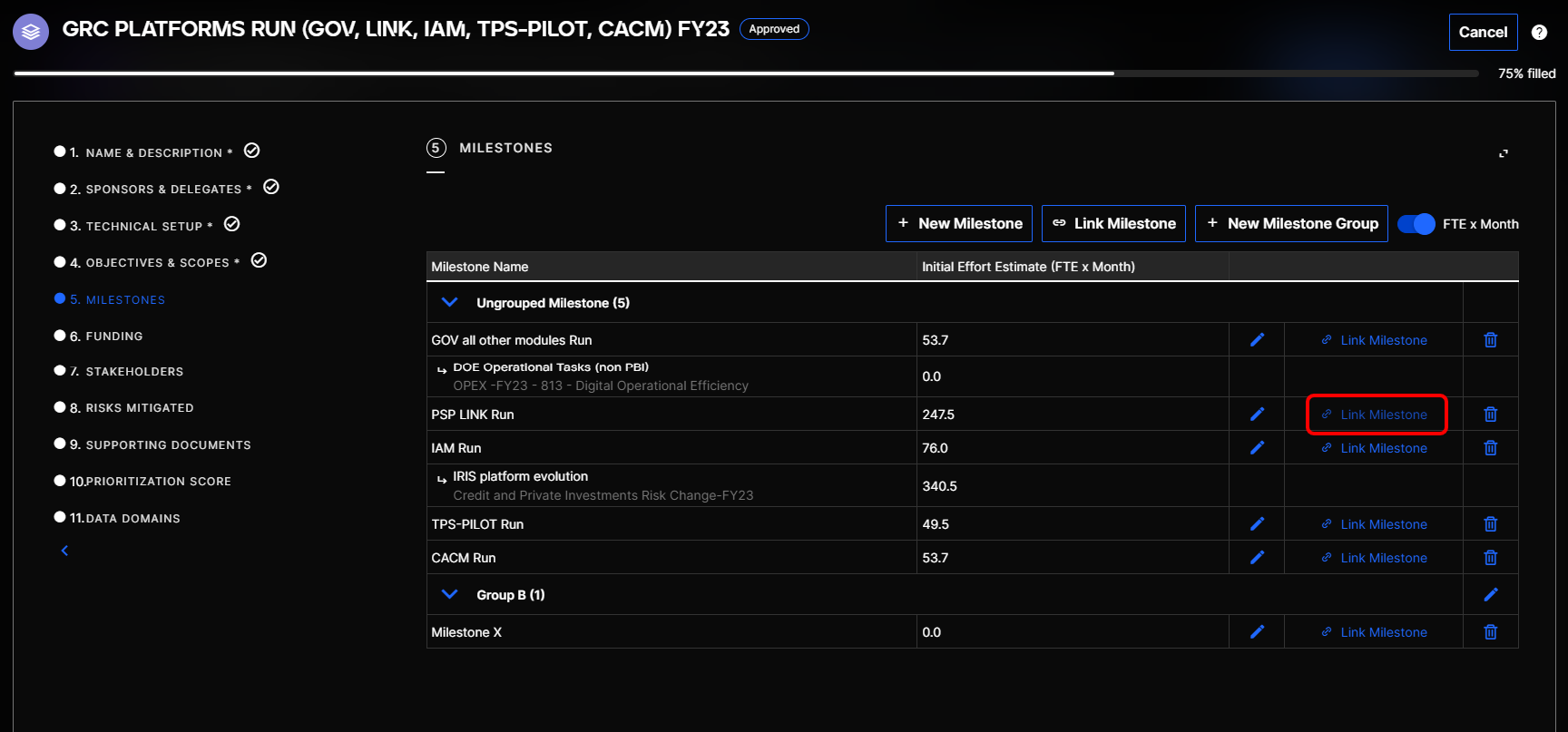
-
On the line of the milestone you want to add the link to, click on Link Milestone
-
In this new window, choose the initiative in which there is the milestone you want to link with
-
Enter a Date
-
Click on Link, the milestone is now linked to another one